

IT Sharks Courses
IT Sharks has many high quality courses available across 12 distinct categories. All our courses are self-paced and have been designed by subject matter experts, to give you an interactive and enriched learning experience.Depending on your learning goal, which help you focus your learning to provide you with specific expertise in your field or industry.
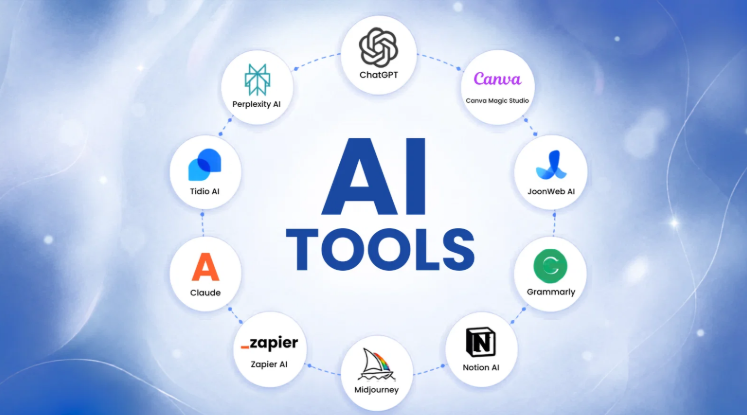
AI Tool
Module 1: Foundations of AI and Generative AI
➢ What is Artificial Intelligence?➢ AI vs. Machine Learning vs. Deep Learning
➢ Brief history and milestones of AI
➢ Generative AI and Large Language Models (LLMs) explained simply
➢ Tokens, context windows, and how models generate answers
➢ Capabilities, limitations, and hallucinations
➢ How AI is transforming different fields: education, healthcare, business, engineering, law, media, and more
Module 2: The AI Tools Landscape and Choosing the Right Tool
➢ Categories of AI tools: text, image, audio, video, data, coding, and automation➢ Leading AI assistants overview: ChatGPT, Claude, Gemini, Microsoft Copilot, DeepSeek, and others
➢ Free vs. paid plans and model tiers
➢ Criteria for evaluating and comparing tools: quality, cost, privacy, language support, and integrations
➢ Building a personal AI toolkit for your profession
➢ Staying current: how to follow and test new tools
Module 3: Working with AI Chat Assistants
➢ Account setup, interface tour, and conversation management➢ Uploading and analyzing files: PDFs, Word, Excel, images, and screenshots
➢ Voice mode, vision, and multimodal interaction
➢ Web search and live information inside assistants
➢ Memory, personalization, and custom instructions
➢ Working in Arabic and English: translation, bilingual output, and dialect handling
Module 4: Prompt Engineering Fundamentals
➢ Anatomy of an effective prompt: role, task, context, constraints, and format➢ Being clear, specific, and structured
➢ Providing context, examples, and reference material
➢ Controlling tone, length, style, and output format (tables, lists, JSON, emails)
➢ Iterating and refining: follow-up prompts and feedback loops
➢ Common prompting mistakes and how to fix them
➢ Hands-on practice with real tasks from different professions
Module 5: Advanced Prompting Techniques
➢ Zero-shot, one-shot, and few-shot prompting➢ Step-by-step reasoning and thinking models
➢ Prompt chaining: breaking complex tasks into stages
➢ Role-playing, personas, and expert simulation
➢ Self-review, critique, and verification prompts
➢ Prompt templates, variables, and building a personal prompt library
➢ Prompt safety: avoiding sensitive data and prompt injection basics
Module 6: Custom Assistants, Projects and Reusable Workflows
➢ Projects and workspaces: organizing knowledge and chats➢ Custom GPTs, Claude Projects, and Gemini Gems
➢ Writing system instructions and uploading knowledge files
➢ Designing assistants for specific roles: tutor, analyst, writer support agent
➢ Sharing assistants with teams and managing versions
➢ Hands-on: build a custom assistant for your own field
Module 7: AI for Research and Learning
➢ AI-powered search and answer engines: Perplexity, Gemini, and ChatGPT search➢ Deep research tools and generating sourced reports
➢ NotebookLM and document-based research: summaries, study guides, and audio overviews
➢ Reading and summarizing papers, books, and long reports
➢ Fact-checking, source verification, and spotting fabricated citations
➢ AI as a personal tutor: learning plans, quizzes, flashcards, and explanations at any level
➢ Translation and cross-language research
Module 8: AI for Writing and Business Communication
➢ Drafting emails, reports, proposals, and policies➢ Editing, proofreading, rewriting, and tone adjustment
➢ Summarizing meetings and generating minutes and action items
➢ Writing CVs, cover letters, and professional profiles
➢ Marketing and social media content creation
➢ AI inside Microsoft 365 and Google Workspace: Copilot and Gemini
➢ Maintaining your own voice and quality control for AI-written text
Module 9: AI for Spreadsheets and Data Analysis
➢ Using AI to write and explain Excel and Google Sheets formulas➢ Data cleaning, formatting, and restructuring with AI
➢ Uploading datasets for analysis: trends, summaries, and insights
➢ Creating charts and visualizations with AI
➢ Copilot in Excel and Gemini in Sheets
➢ Introduction to AI-assisted dashboards and reporting
➢ Checking AI analysis for accuracy and avoiding misleading conclusions
Module 10: AI for Presentations and Documents Design
➢ Generating slide decks from an outline or a document: Gamma, Copilot in PowerPoint, Canva, and others➢ Structuring a story and key messages with AI
➢ Designing professional layouts, infographics, and one-pagers
➢ Creating branded templates and consistent visuals
➢ Converting documents between formats and repurposing content
➢ Reviewing, polishing, and presenting AI-generated material
Module 11: AI Image Generation and Editing
➢ How image generation models work➢ Text-to-image tools: Midjourney, DALL·E / ChatGPT Images, Adobe Firefly, Gemini, and others
➢ Writing effective image prompts: subject, style, lighting, composition, and aspect ratio
➢ Editing existing images: background removal, retouching, object replacement, and upscaling
➢ Creating logos, product mockups, social media graphics, and illustrations
➢ Maintaining consistency and brand identity across images
➢ Licensing, copyright, and commercial use considerations
Module 12: AI for Audio and Video
➢ Speech-to-text: transcription and subtitles➢ Text-to-speech and voice generation: ElevenLabs and similar tools
➢ Podcast and audio content creation and enhancement
➢ Text-to-video and image-to-video tools: Runway, Veo, Sora, Kling, and others
➢ AI avatars and presenters: HeyGen and Synthesia
➢ AI-assisted video editing: CapCut, Descript, and auto-captioning
➢ Scripting, storyboarding, and producing a short video end to end
➢ Deepfakes, consent, and disclosure of AI-generated media
Module 13: Workflow Automation with AI
➢ Identifying repetitive tasks suitable for automation➢ Automation platforms overview: Zapier, Make, and n8n
➢ Triggers, actions, and data mapping
➢ Connecting AI models to email, spreadsheets, forms, calendars, and chat apps
➢ Building automated workflows: lead capture, document processing, reporting, and notifications
➢ Testing, monitoring, and error handling
➢ Cost and reliability considerations
Module 14: AI Agents and Building with AI
➢ What are AI agents? Assistants vs. agents➢ Agentic tools: browsing agents, computer-use agents, and deep research agents
➢ Model Context Protocol (MCP) and connecting AI to your apps and data
➢ Vibe coding: building websites, tools, and simple apps from natural-language descriptions
➢ Tools for builders: Claude Code, Cursor, GitHub Copilot, Lovable, and Bolt
➢ Reading, explaining, and debugging code with AI, even without a programming background
➢ Hands-on: build and publish a small working tool or landing page
Module 15: Responsible AI: Ethics, Privacy and Security
➢ Bias, fairness, and transparency in AI systems➢ Data privacy: what you should never paste into an AI tool
➢ Confidentiality, client data, and organizational AI policies
➢ Copyright, intellectual property, and ownership of AI outputs
➢ Misinformation, deepfakes, and scams powered by AI
➢ Security risks: prompt injection, data leakage, and account safety
➢ AI regulation and emerging standards
➢ Environmental impact and responsible use of AI
Module 16: Capstone Project and Personal AI Strategy
➢ Selecting a real project from your own field or workplace➢ Planning the solution and choosing the right tools
➢ Implementing the project end to end: content, data, visuals, and automation
➢ Measuring time saved and quality gained
➢ Presenting the final project
➢ Building your personal AI adoption roadmap and continuous-learning plan
Short Description
Duration: 50 Hours
Connect with us
Villa No. 48, 2nd Floor, Flat 6, 105th Street, El Horreya Sq., Beside El Raya Market, Maadi - Cairo, Egypt 11728
-
Mobile+20 1112 50 5953
-
Whatsapp+20 101 774 3315
-
Email info@itsharks.co